
The seed behind the image, one click away.
LatentKeep turns a folder of ComfyUI, Automatic1111 or Forge renders into a searchable gallery and reads the prompt, model, LoRAs, seed and sampler settings straight from each file. Nothing leaves your machine.
This graph is live. Click the image, or press Enter on it, to run it backwards and read the recipe the way LatentKeep shows it.
One image out of three hundred is perfect. Which seed was it?
The answer is inside the file, but reading it means opening the PNG info tab for every single image. LatentKeep reads that metadata once, caches it, and puts every answer one click away.
{"3": {"inputs": {"seed": 852826209641127, "steps": 40, "cfg": 6.0, "sampler_name": "euler_ancestral", "scheduler": "karras", "denoise": 1, "model": ["10", 0], "positive": ["6", 0], "negative": ["7", 0], "latent_image": ["5", 0]}, "class_type": "KSampler"}, "4": {"inputs": {"ckpt_name": "dreamshaperXL_lightningDPMSDE.safetensors"}, "class_type": "CheckpointLoaderSimple"}, "5": {"inputs": {"width": 1216, "height": 832, "batch_size": 1}, "class_type": "EmptyLatentImage"}, "6": {"inputs": {"text": "vast alpine valley at sunrise, low fog over a glacial lake, layered mountain ridges, golden light, 24mm", "clip": ["10", 1]}, "class_type": "CLIPTextEncode"}, "7": {"inputs": {"text": "blurry, text, watermark", "clip": ["10", 1]}, "class_type": "CLIPTextEncode"}, "10": {"inputs": {"lora_name": "film_grain_v2.safetensors", "strength_model": 0.9, "strength_clip": 0.9, "model": ["4", 0], "clip": ["4", 1]}, "class_type": "LoraLoader"}, "8": {"inputs": {"samples": ["3", 0], "vae": ["4", 2]}, "class_type": "VAEDecode"}, "9": {"inputs": {"filename_prefix": "ComfyUI", "images": ["8", 0]}, "class_type": "SaveImage"}}
Three nodes. No installer.
LatentKeep is one Python file. Put it next to your images, double-click, and the gallery opens in your browser with every recipe already read.
latentkeep.py and two launchers, nothing else. Python 3.8 or newer is the only requirement.
It binds to localhost only. Thumbnails and metadata are read once in the background and cached next to your images.
Prompt, negative prompt, model, LoRAs with strengths, seed and every sampler setting, each with its own copy button. Press F to favorite, D to mark, 1 to 5 to rate.
Everything you reach for, in the node library.
Search, compare, rate, collect, export, and send the recipe back to ComfyUI. Each one is a click or a key, and none of it leaves your disk.
Search that understands your work
Plain words, quoted phrases and fields like seed:1234, lora:detail, steps:>30, date:week. Filter menus for model, LoRA, sampler, tool, aspect and tags. Save any combination as a view.
Compare and A/B
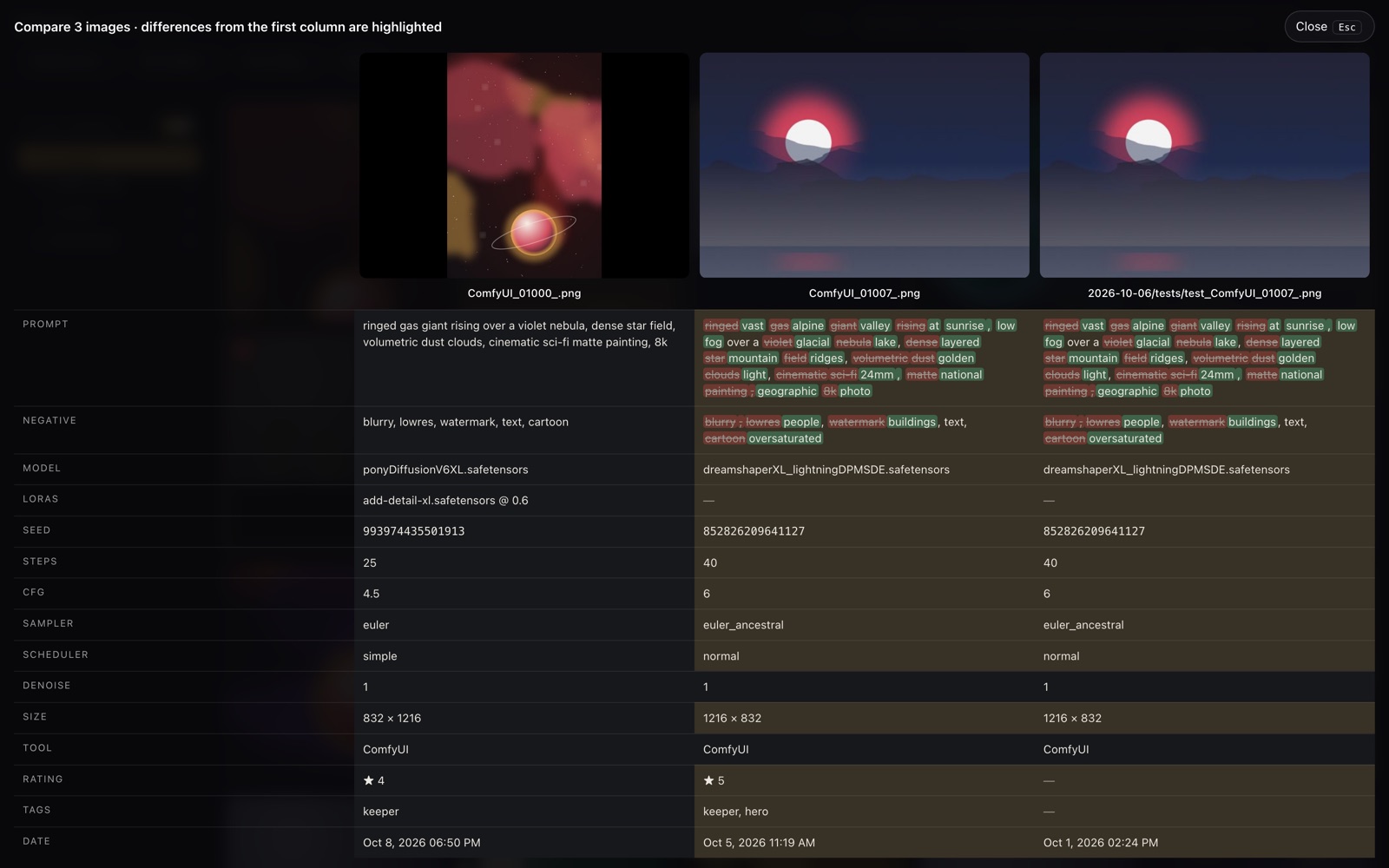
Side-by-side tables with highlighted differences and word-level prompt diffs. For two images, an A/B view with a slider you drag on the picture, flicker and 100 % zoom.
Back into ComfyUI in one click
Save an image's workflow straight into ComfyUI's Workflows panel, or queue the exact prompt again with the same seed. Copy the recipe as Automatic1111 parameters for PNG Info.
Rate, tag, collect
Stars and tags with keyboard shortcuts. Collections across folders for client work. Prompt analytics tell you which words appear in your best-rated images.
Send options, not folders
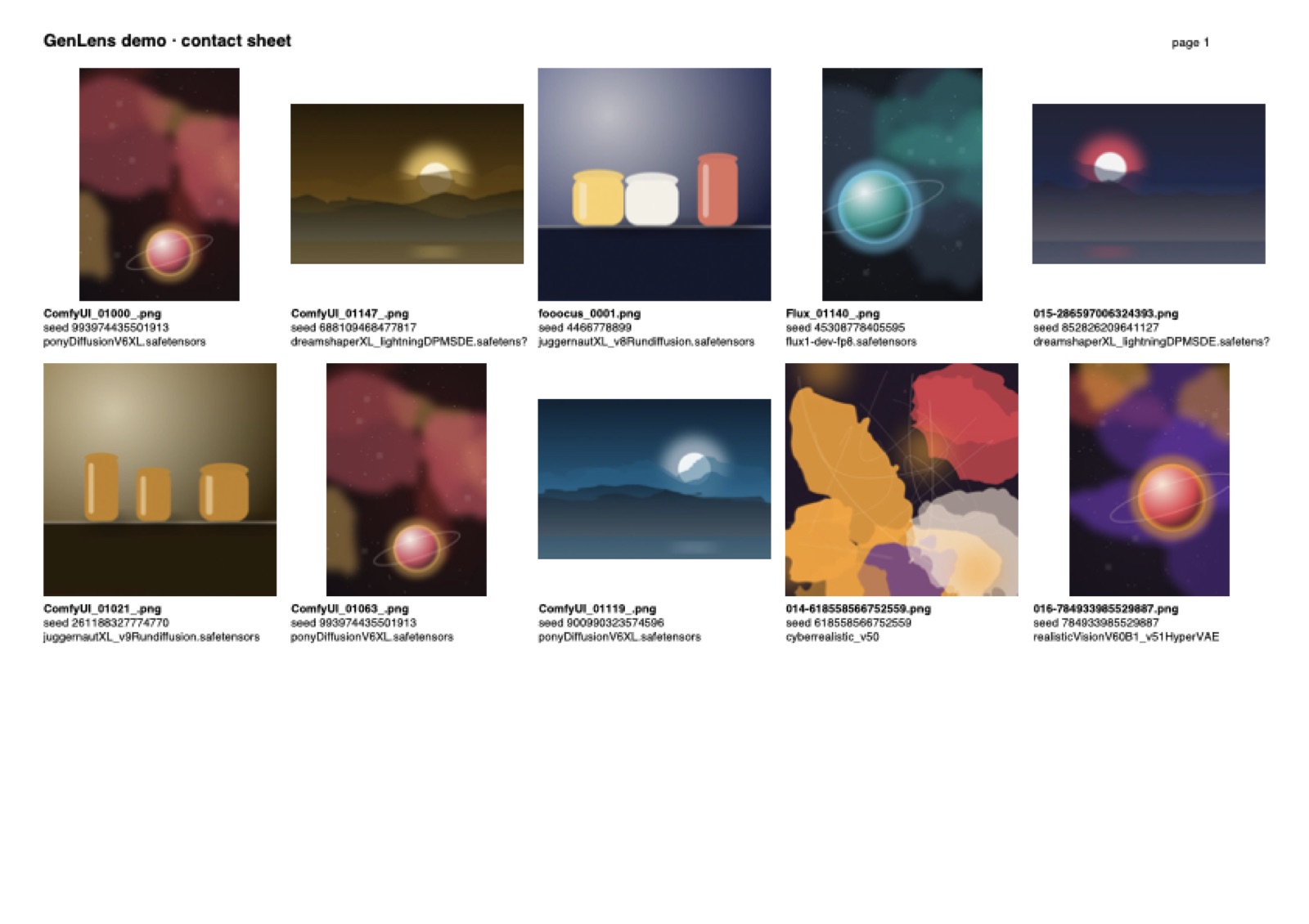
Contact sheets as PNG or multi-page PDF with file name, seed and model under each image. Zip exports with the generation metadata stripped when you share.
Private by design
A single Python file serving on localhost. No account, no upload, no telemetry. Updates download only when you ask, and the previous version is kept.
Good to know.
The questions people ask before they download, answered the way the program behaves.
No. LatentKeep only reads your files. Its cache, thumbnails, flags and collections live in a separate hidden folder you can delete at any time.
No. Everything runs on your machine and works offline. The only optional network calls are the update check you trigger yourself and, for store keys, a licence verification at activation and about once a month afterwards. Signed keys are verified offline, and you stay licensed while offline.
ComfyUI prompt and workflow data including Flux-style graphs, GGUF loaders, LoRA stacks and the rgthree Power Lora Loader; Automatic1111 and Forge, also from .txt files saved next to an image; Fooocus, SwarmUI, InvokeAI, NovelAI and Easy Diffusion; JPEG and WebP written by ComfyUI save nodes on a best-effort basis. LatentKeep walks the graph generically, so custom node packs usually just work.
Yes. A folder tree lets you browse each subfolder or flatten everything into one view, and a switch hides subfolders entirely if you prefer.
Deleting first marks images. Nothing is removed until you confirm, and files go to the Trash or Recycle Bin, not into the void.
The download is the full program. Without a key the ten newest images of a folder open normally and the next ninety are shown greyed out, so you see the gallery with your own work. Export, contact sheets and the ComfyUI actions wait for the licensed version. A key unlocks everything in Settings and covers up to three computers.
That is Gatekeeper reacting to a downloaded file, not a problem with LatentKeep. Once per download: open System Settings, Privacy & Security, scroll to Security and click “Open Anyway” next to LatentKeep.command. Or start it once from Terminal with python3 latentkeep.py; LatentKeep then clears the flag from its launcher itself. The script is plain, readable Python; a signed launcher is planned for a later version.
Settings shows when a new version exists. One click downloads it, checks its size and checksum, keeps the previous version as a backup and restarts LatentKeep. You can always go back.
The unlocked version is coming soon.
The trial is ready today.
LatentKeep is in its final stretch before sale. Until then, download the trial: the full program with the 10 newest images of a folder open and the next 90 shown greyed out, while export, contact sheets and the ComfyUI actions wait for the licensed version. When keys go on sale, the same download unlocks in Settings.